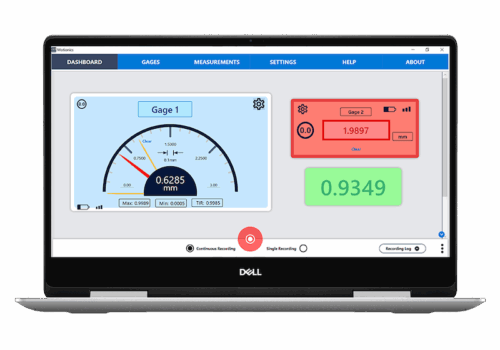
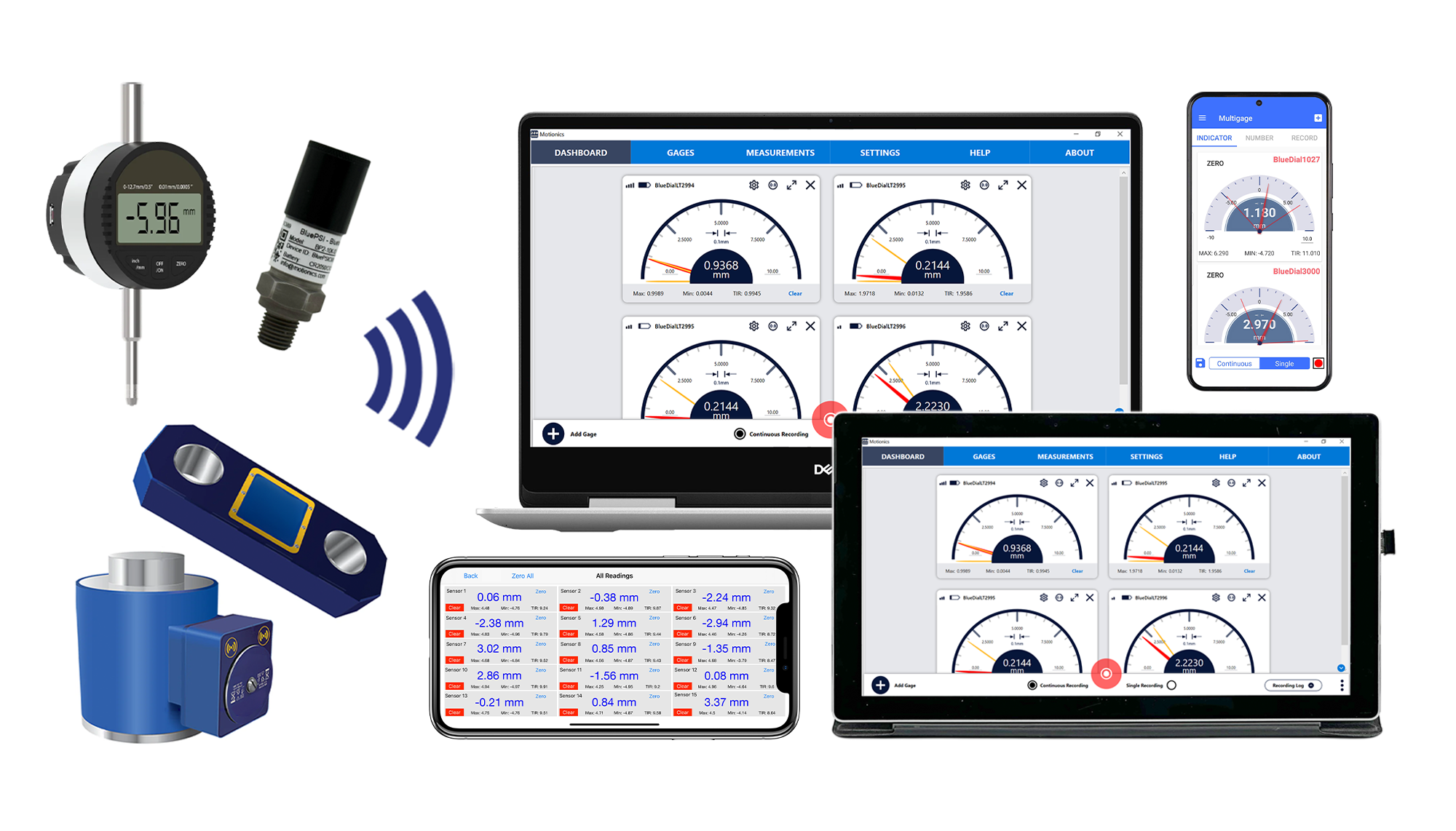
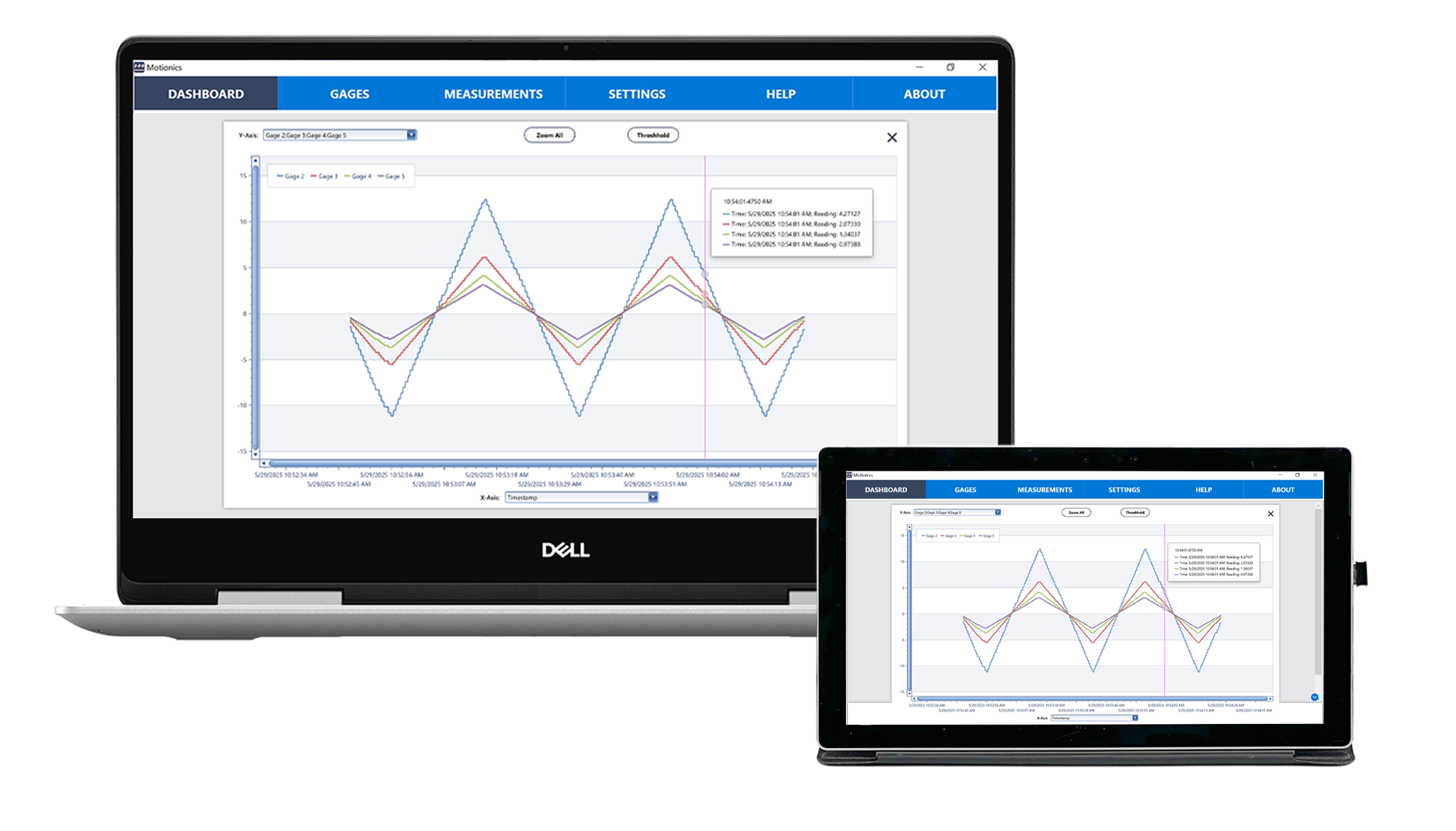
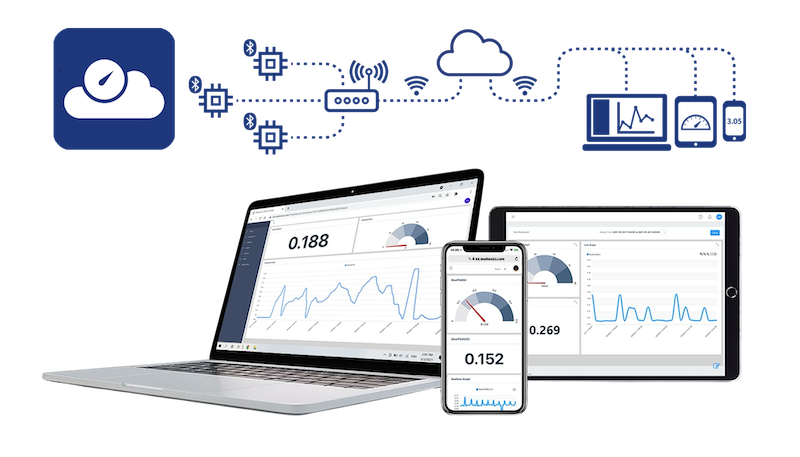
MultiGage by Motionics is a versatile, cross-platform software solution that enables users to wirelessly connect and monitor multiple Bluetooth-enabled measurement gauges and devices in real time.
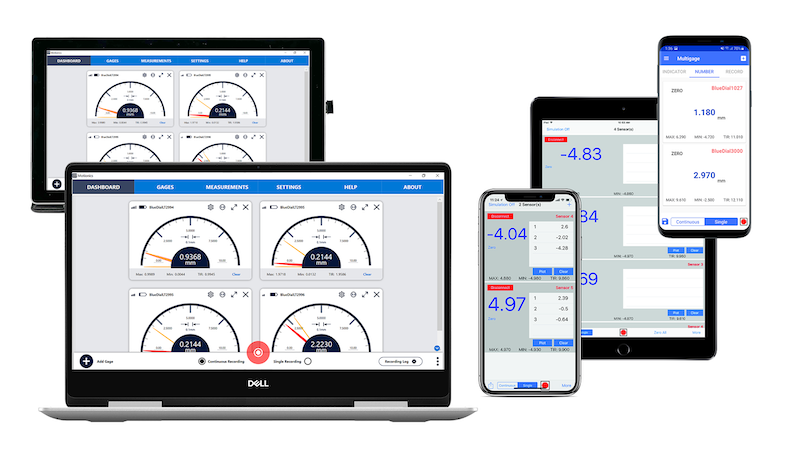
Whether you’re on a Windows PC, iPad, iPhone, or Android device, MultiGage allows users to easily view, record and share measurement data.
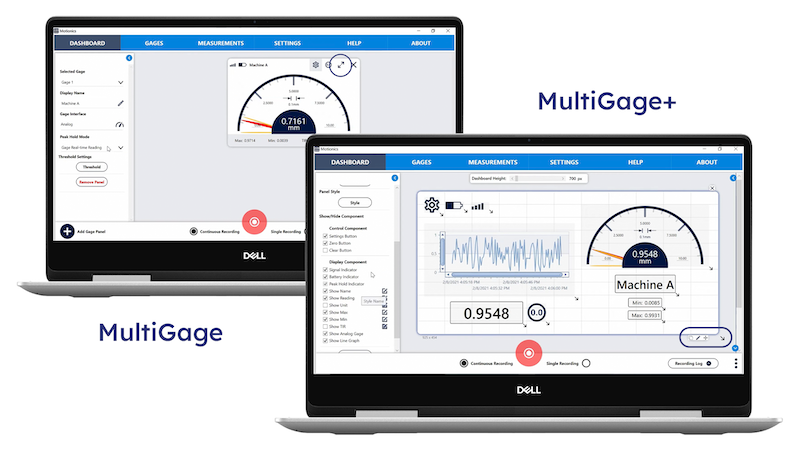
MultiGage is free to download and features real-time data plotting, Min/Max/TIR readings, data export, remote zeroing, and automatic equation calculations. MultiGage+ offers further customization and features.
MultiGage Advanced Wireless Measurement Software
MultiGage by Motionics is a versatile, cross-platform software solution that enables users to wirelessly connect and monitor multiple Bluetooth-enabled measurement gauges and devices in real time.
Whether you’re on a Windows PC, iPad, iPhone, or Android device, MultiGage allows users to easily view, record and share measurement data.
MultiGage is free to download and features real-time data plotting, Min/Max/TIR readings, data export, remote zeroing, and automatic equation calculations. MultiGage+ offers further customization and features.
WHY USE MULTIGAGE?
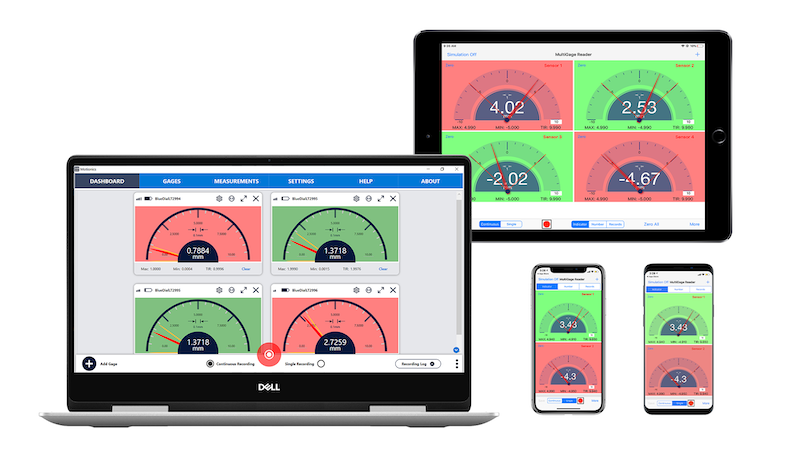
VIEW GAUGES SIMULTANEOUSLY
AUTOMATIC DATA COLLECTION
MULTI-PLATFORM CAPABILITY
EASY-TO-USE SOFTWARE
REDUCE HUMAN ERROR
INCREASE USER EFFICIENCY
WHY USE MULTIGAGE?
VIEW GAUGES SIMULTANEOUSLY
AUTOMATIC DATA COLLECTION
MULTI-PLATFORM CAPABILITY
EASY-TO-USE SOFTWARE
REDUCE
HUMAN ERROR
INCREASE USER EFFICIENCY
MULTIGAGE OVERVIEW
MultiGage App
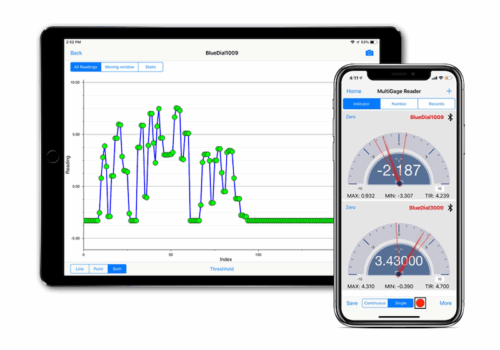
The MultiGage App can be downloaded on iPad, iPhone and Android and is also able to connect to multiple Motionics Bluetooth measurement devices: 14 on iOS, 8 on Android. The app receives wireless readings of connected devices simultaneously without additional hardware and includes advanced features.
MultiGage Windows
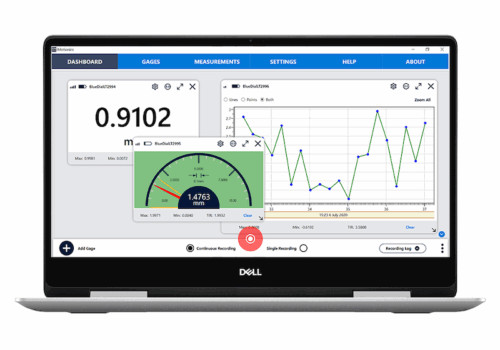
MultiGage Windows software is available on Windows PCs (Win7 or later) and offers precise and accurate dimensional measurement capabilities. The software, when used with this USB Bluetooth Dongle, connects up to 8 Motionics Bluetooth devices (per dongle) and receives realtime data simultaneously.
MultiGage+
MultiGage+ is a paid for software that is available to download on Windows PCs (Win7 or later) and offers additional functionality to enhance customization and efficiency. This includes the ability to create custom user dashboards. MultiGage+ also requires this USB Bluetooth Dongle to connect to your wireless devices.
MultiGage Windows
MultiGage+
MultiGage App
MultiGage is now available on Mac
Mac users with Apple silicon (M1 chip or later) can run many iPhone and iPad apps natively on their Mac device – including MultiGage. Simply download the MultiGage iPad app directly from the Mac App Store for even more flexibility and integration with your existing setup. Click here for more information.
MULTIGAGE FEATURES
MULTIPLE DEVICE CONNECTIVITY
MultiGage allows you to connect multiple Motionics devices and receive readings simultaneously. Each USB Bluetooth Dongle connects to up to 8 wireless gauges to a Windows PC. The MultiGage app for Android also supports up to 8 connected devices, while the iOS app reads up to 14 simultaneously.
GAUGE DISPLAY MODES
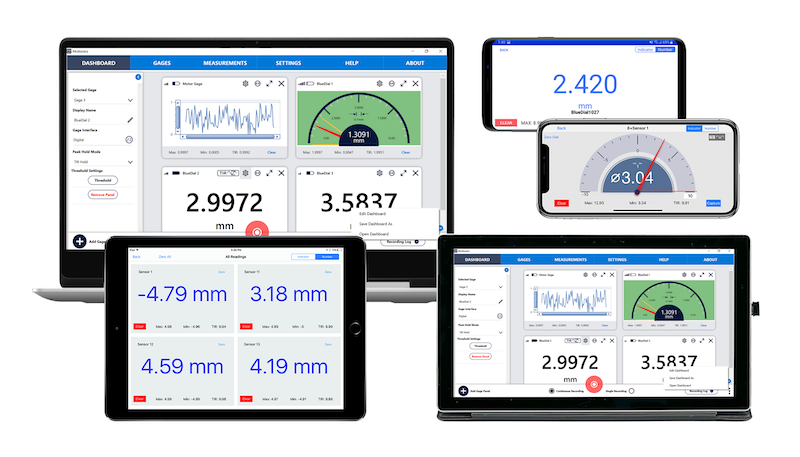
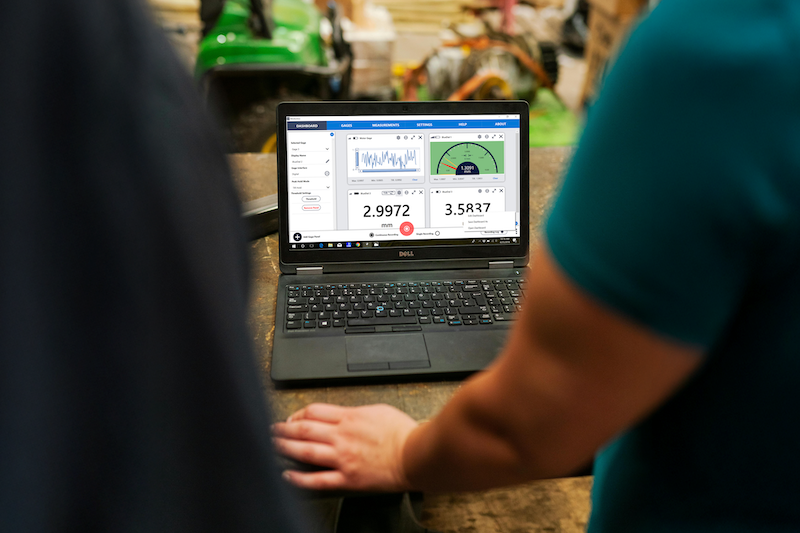
Within the MultiGage software and app, users can change the settings for individual gauges to switch between digital, analog, and graph modes. This makes data collection and analysis easier and more efficient.
GAUGE DISPLAY MODES
Within the MultiGage software and app, users can change the settings for individual gauges to switch between digital, analog, and graph modes. This makes data collection and analysis easier and more efficient.
INDIVIDUAL DEVICE PANELS
MultiGage has an option to connect different devices at same time, with each device displayed in a different movable panel. This allows users to check the readings of all devices in one frame simultaneously for increased efficiency.
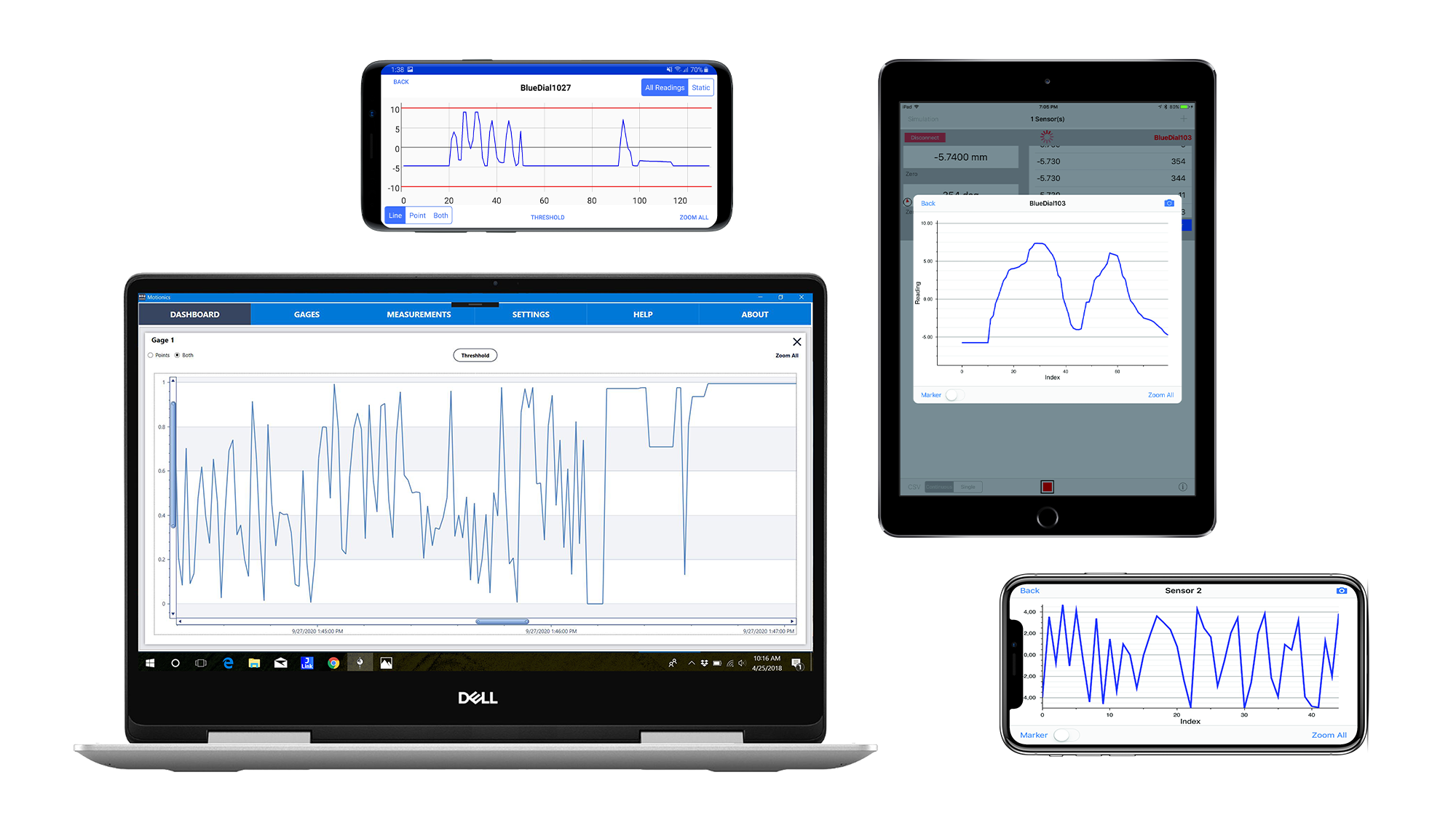
REALTIME DATA PLOTTING
The built-in Data Plot option illustrates the collected data from the device in an easy-to-read graph form, allowing . You can zoom in/out of the graph, and the marker option allows you to add individual points on the graph. This allows users to tailor data collection for ongoing monitoring or quick, precise readings.
REALTIME DATA PLOTTING
The built-in Data Plot option illustrates the collected data in an easy-to-read graph form in realtime. You can zoom in/out of the graph, and the marker option allows you to add individual points on the graph. Multiple graph overlays are supported in MultiGage+.
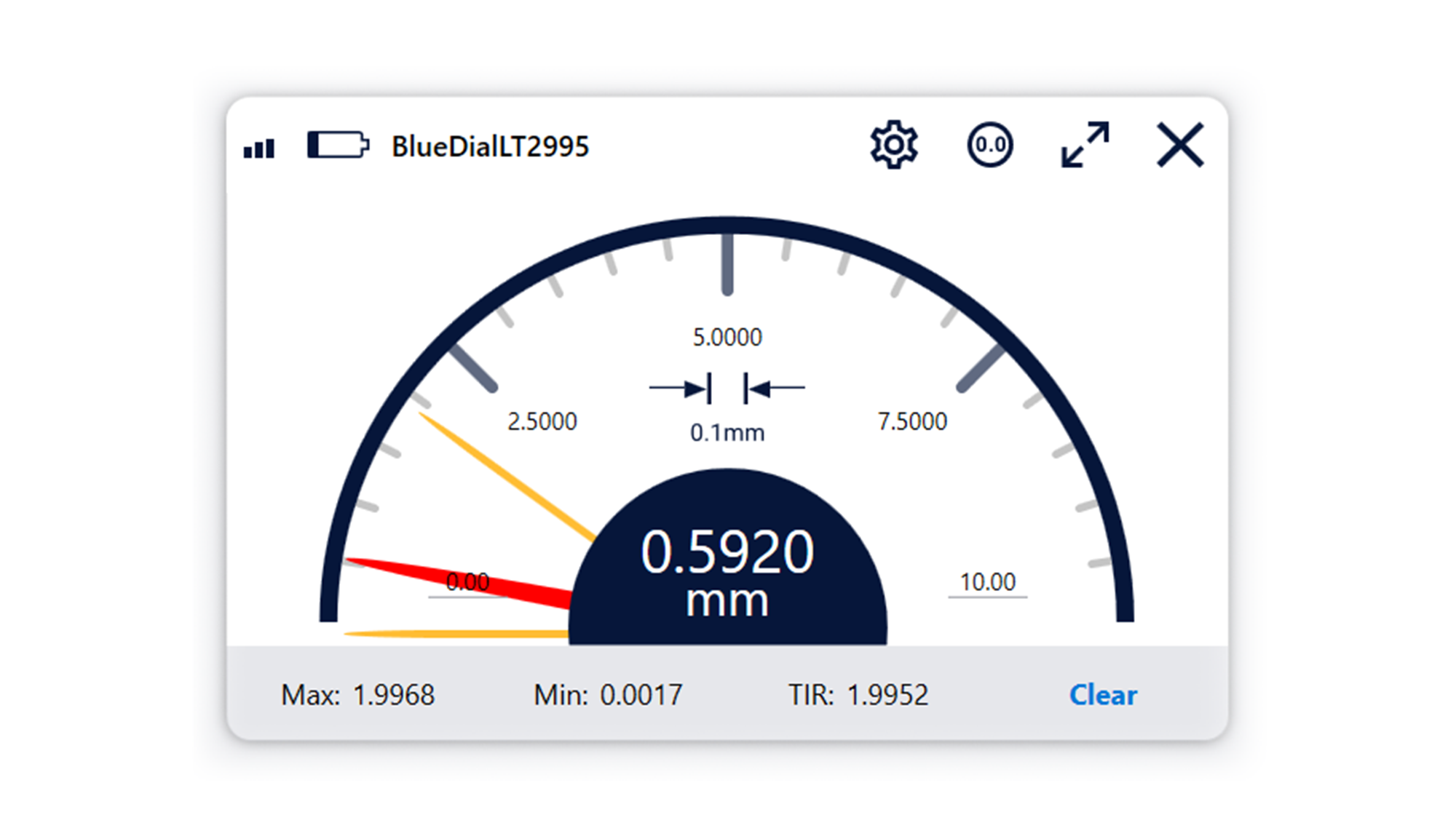
MAX, MIN, AND TIR DISPLAY
Each gauge panel displays the maximum and minimum values the device has reached and the Total Indicator Reading (TIR). It also allows the user to change the range.
MAX, MIN, AND TIR DISPLAY
Each gauge panel displays the maximum and minimum values the device has reached and the Total Indicator Reading (TIR). It also allows the user to change the range.
USER THRESHOLD COLOR NOTIFICATIONS
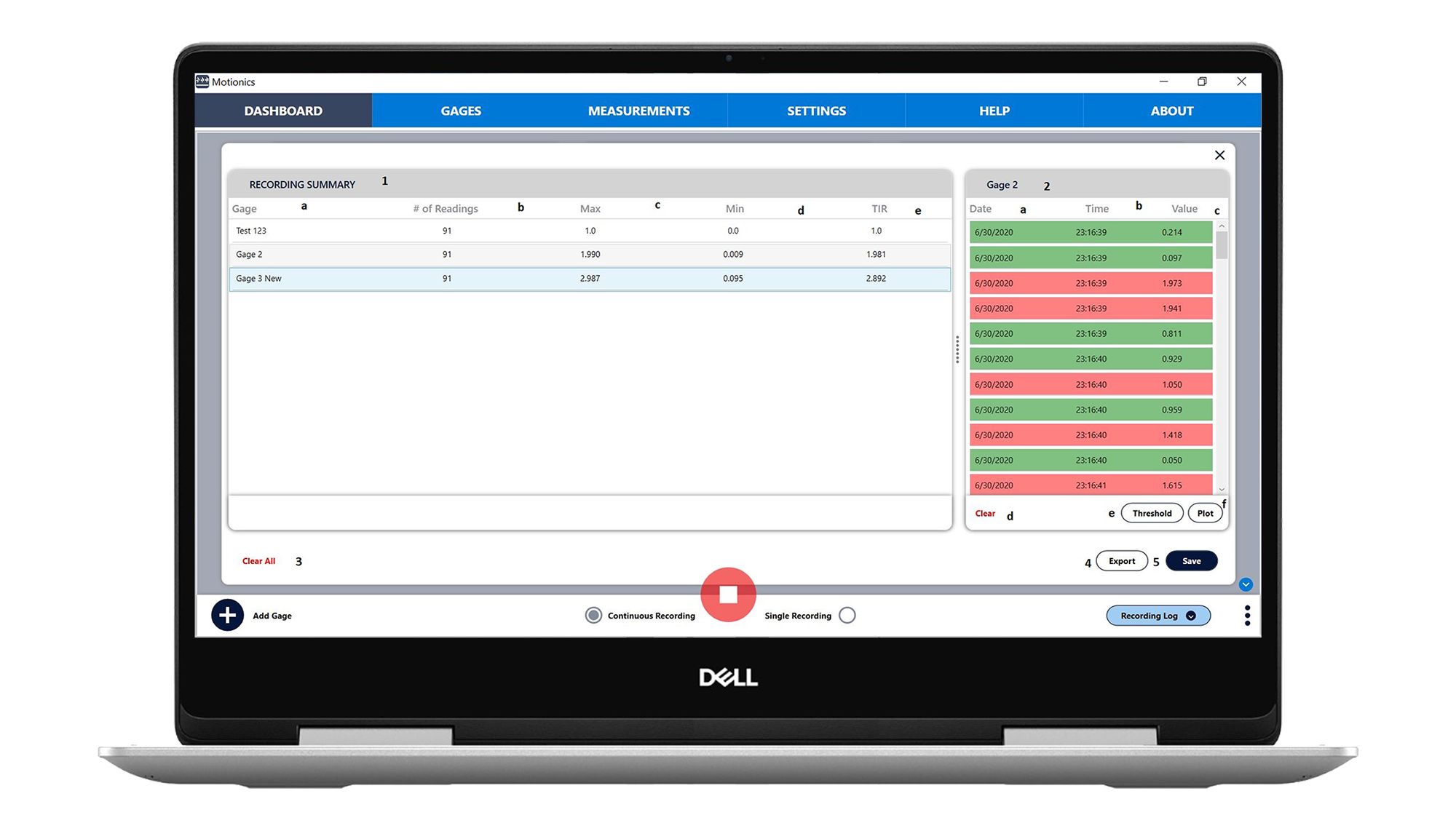
MultiGage software has native Go/No-Go Judgement, which allows the user to set a threshold for each gauge to change color when the reading is within that range.
USER THRESHOLD COLOR NOTIFICATIONS
MultiGage software has native Go/No-Go Judgement, which allows the user to set a threshold for each gauge to change color when the reading is within that range.
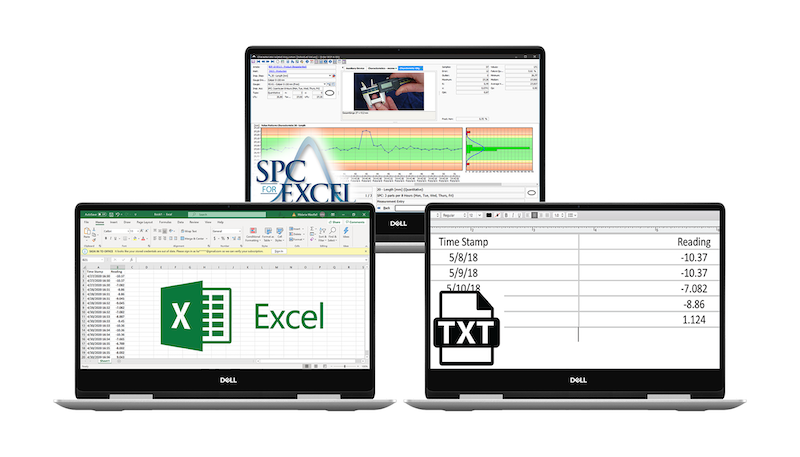
DIRECT KEYBOARD ENTRY
MultiGage Windows software can expedite data recording and sharing by simulating keyboard input. This allows data to be directly loaded onto any software product that supports keyboard entry, such as Excel, text documents, and most SPC software.
DIRECT KEYBOARD ENTRY
MultiGage Windows software can expedite data recording and sharing by simulating keyboard input. This allows data to be directly loaded onto any software product that supports keyboard entry, such as Excel, text documents, and most SPC software.
SINGLE/ CONTINUOUS DATA RECORDING
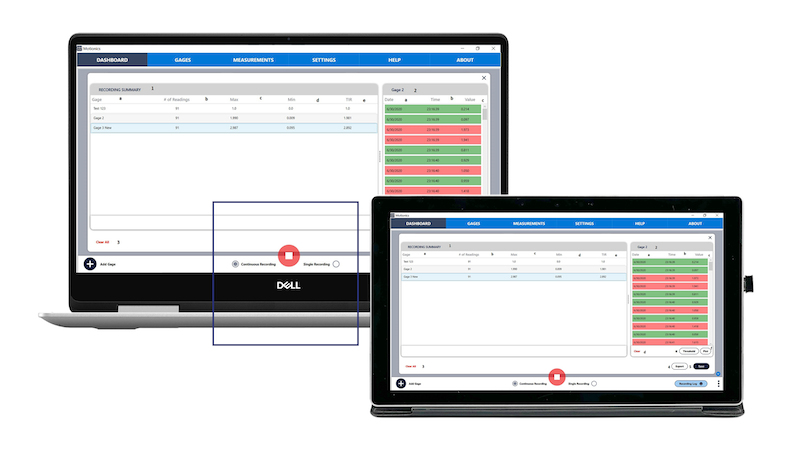
MultiGage offers the ability to manually capture single data point samples or automatically record continuous data up to 10 samples/sec. This allows users to tailor data collection to specific tasks, whether monitoring changes over time or capturing quick readings with precision.
SINGLE/ CONTINUOUS DATA RECORDING
MultiGage offers the ability to manually capture single data point samples or automatically record continuous data up to 10 samples/sec. This allows users to tailor data collection to specific tasks, whether monitoring changes over time or capturing quick readings with precision.
REMOTE ZEROING OF DEVICES
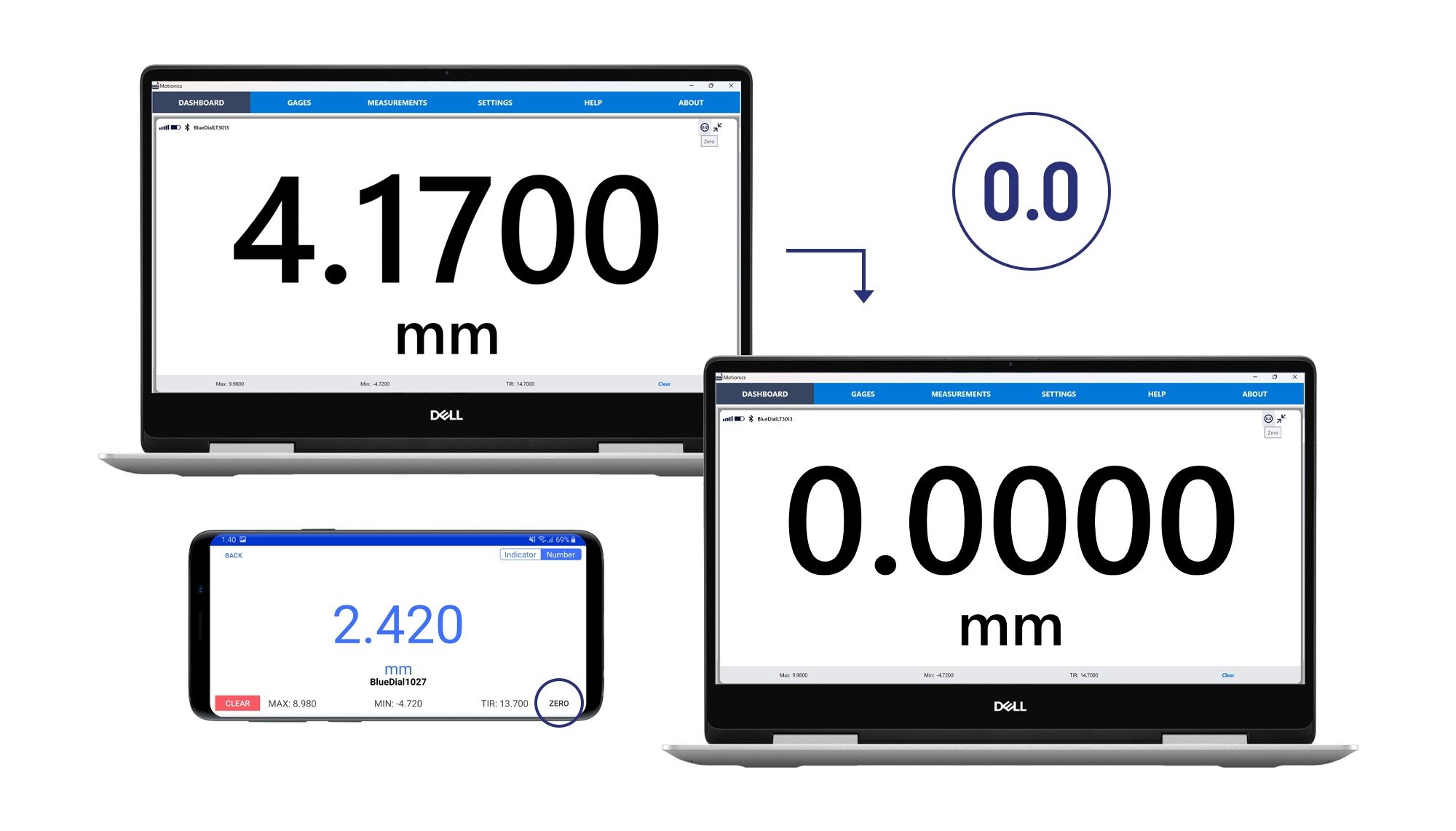
Both MultiGage Windows and the MultiGage app for iOS and Android allows users to remotely zero connected gauges and devices. This increases safety and efficiency as users no longer have to manually push a button on the device during testing.
REMOTE ZEROING OF DEVICES
Both MultiGage Windows and the MultiGage app for iOS and Android allows users to remotely zero connected gauges and devices. This increases safety and efficiency as users no longer have to manually push a button on the device during testing.
VIRTUAL GAUGE WITH CUSOTM EQUATIONS
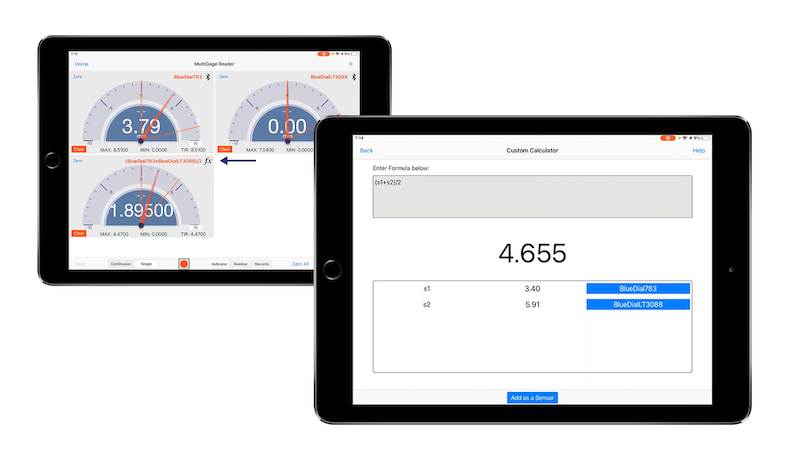
The MultiGage iOS app also features a customizable calculator with user defined formula, meaning you can automatically convert readings to desired metrics based on any equation entered. Calculator sensors can be added to sensor panels for data collection alongside Bluetooth sensors.
VIRTUAL GAUGE WITH CUSTOM EQUATIONS
Create a virtual gauge with any equation from other live gauges and add to your dashboard to automatically calculate readings based on any equation entered. This virtual gauge is displayed alongside the Bluetooth gauges on screen.
EASY DATA SAVE & EXPORT
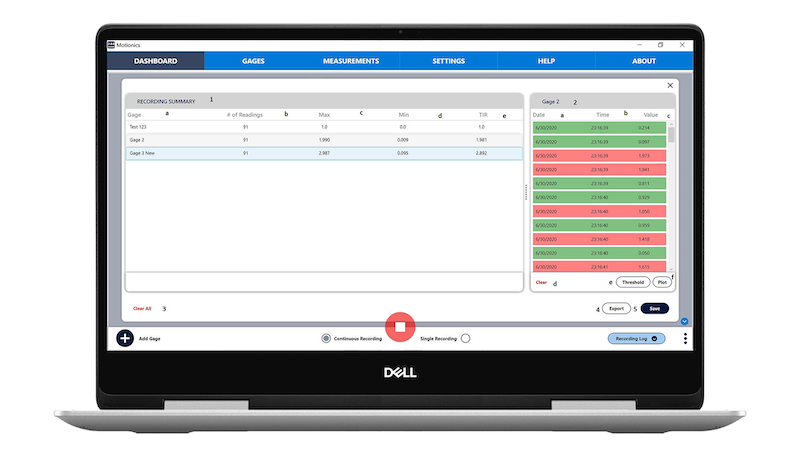
When data collection and recording is complete, all users can save the data locally under a Plant>Engine>Record structure and export it as a CSV. This file format can be easily transferred to many different systems and applications.
Custom Data Updating and Recording Rate
For different wireless gauges, the data rate may be different. With MultiGage, users can adjust the data streaming of each range from the software and separately adjust the logging rate of each gauge.
VOICE READ ON CAPTURE
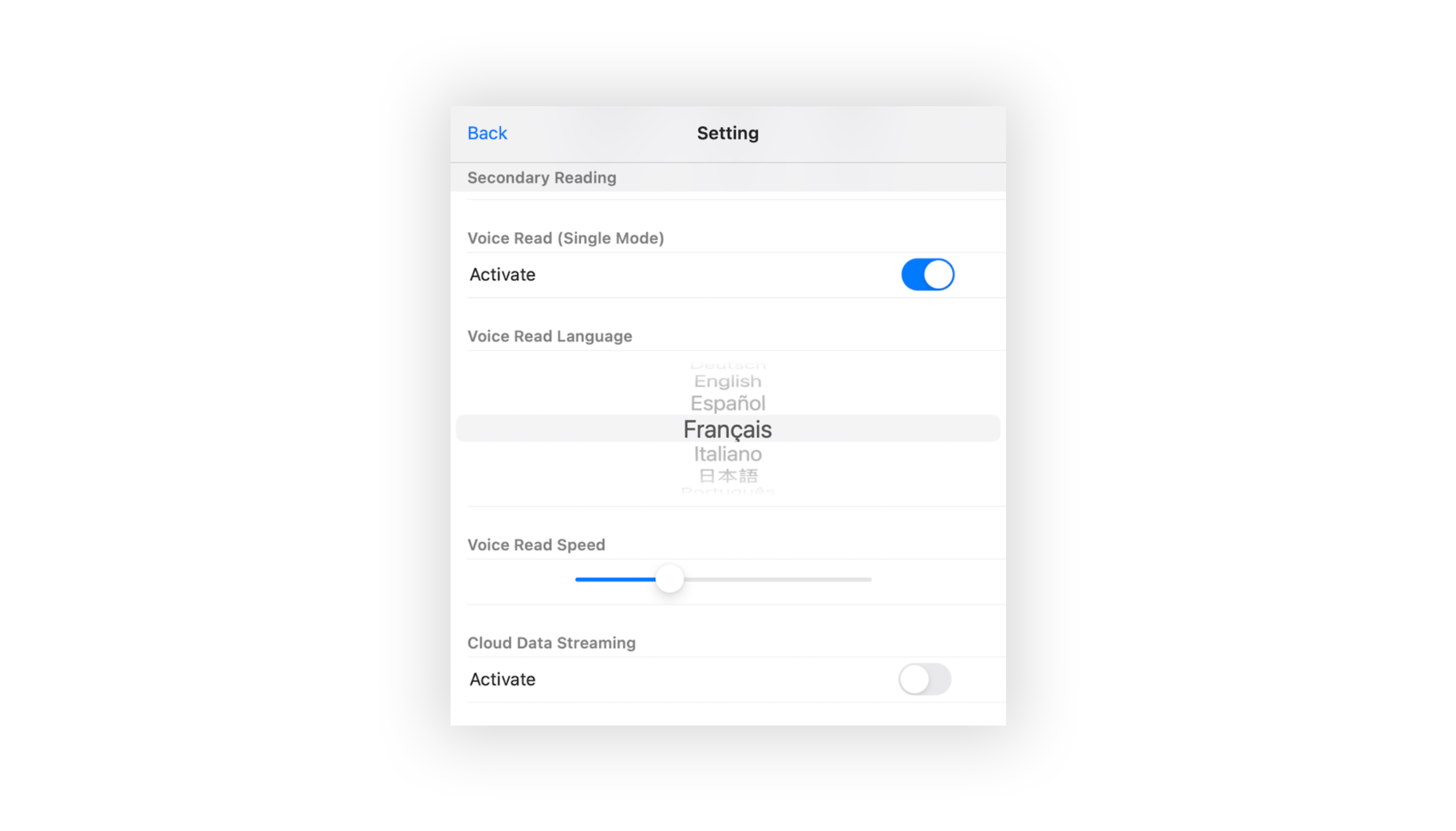
MultiGage's native Voice Read on Capture feature is a useful accessibility feature that conveniently reads values aloud when data points are captured. This increases user productivity as you can monitor readings without even looking at your PC, iPad or mobile. The voice feature is currently available in 9 different languages and is accessed through the settings page.
CLOUD DATA STREAMING
Using at least two iOS devices with internet access, and Cloud Data Streaming enabled, users can wirelessly stream and monitor gauge data from anywhere in the world. One device acts as a gateway, connected to the gauge(s) via Bluetooth, and transmits the data over the internet where it can be viewed remotely on an iPad or iPhone with the MultiGage app.
EASY DATA SAVE & EXPORT
When data collection and recording is complete, all users can save the data locally under a Plant>Engine>Record structure and export it as a CSV. This file format can be easily transferred to many different systems and applications.
MULTIGAGE+ FEATURES
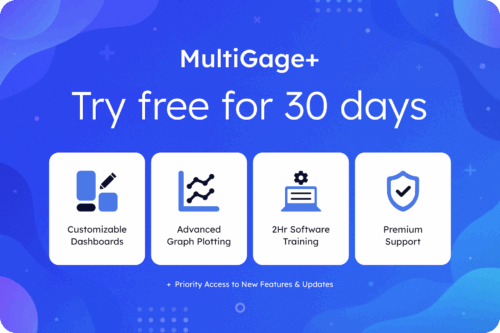
Customizable Dashboard Panels
Advanced Graph Plot Features
2hr Online Remote Software Training
Premium Support with Phone Calls & 12hr Email Reply Guarantee
Yearly Free Calibration up to 5 Gauges (BlueDial, BluePSI, BluePot)
Plus more benefits coming soon
Available with MultiGage+
CUSTOMIZABLE DASHBOARD
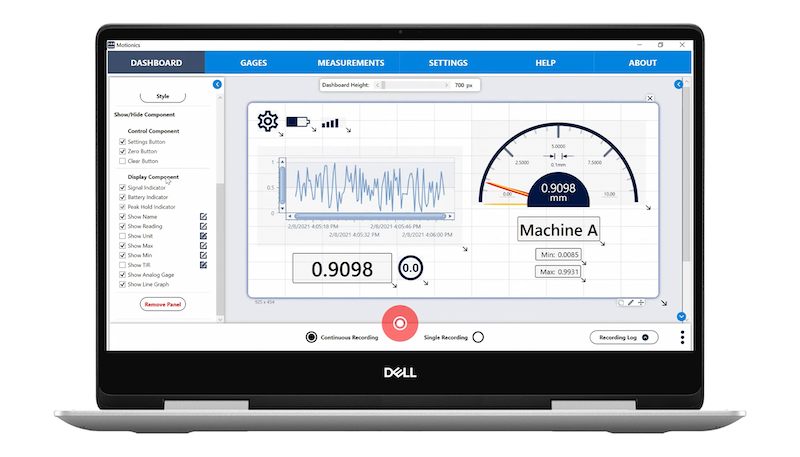
Enabling the custom dashboard feature allows users to add, move, and resize gauge panels, as well as adjust element visibility and style. You can add custom colors, modify borders, and change the position of gauge panel elements. Dashboard backgrounds can be changed to integrate diagrams, drawings, machine pictures, etc.
Customizable Dashboard Panels
Advanced Graph Plot Features
2hr Online Remote Software Training
Premium Support with Phone Calls & 12hr Email Reply Guarantee
Yearly Free Calibration up to 5 Gauges (BlueDial, BluePSI, BluePot)
Plus more benefits coming soon
Available with MultiGage+
CUSTOMIZABLE DASHBOARD
Enabling the custom dashboard feature allows users to add, move, and resize gauge panels, as well as adjust element visibility and style. You can add custom colors, modify borders, and change the position of gauge panel elements. You can also change the background of your dashboard for integating diagrams, drawings, machine pictures, and more.
Available with MultiGage+
TOGGLE ELEMENTS
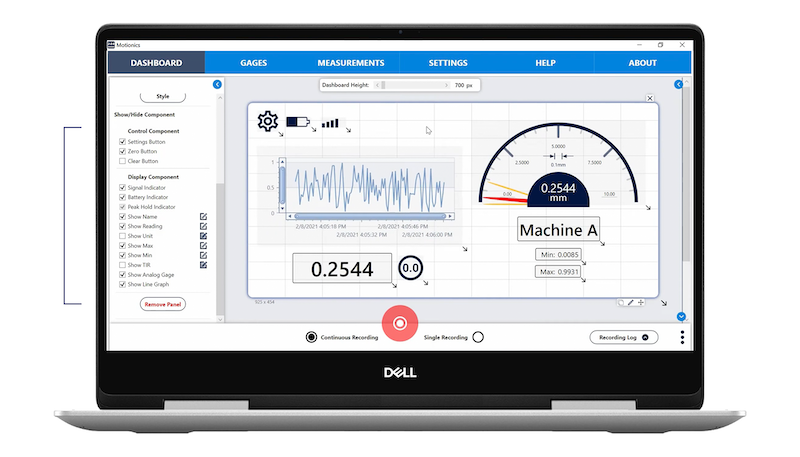
MultiGage+ gives users added customization and flexibility through individual component toggles. Easily enhance your workflow by clicking the toggle to show or hide the element(s) you would like to display on screen.
Available with MultiGage+
TOGGLE ELEMENTS
MultiGage+ gives users added customization and flexibility through individual component toggles. Easily enhance your workflow by clicking the toggle to show or hide the element(s) you would like to display on screen.
Available with MultiGage+
MOVE COMPONENTS
Panels can be moved and repositioned more easily with MultiGage+, giving users the ability to view the most important information first and tailor the workspace to match their measurement setup.
Available with MultiGage+
MOVE COMPONENTS
Panels can be moved and repositioned more easily with MultiGage+, giving users the ability to view the most important information first and tailor the workspace to match their measurement setup.
Available with MultiGage+
RESIZE PANELS
With MultiGage+, you can resize dashboard panels to fit more components onto the screen and monitor even more data points simultaneously or focus in on specific measurements with a larger, less distracting view.
Available with MultiGage+
RESIZE PANELS
With MultiGage+, you can resize dashboard panels to fit more components onto the screen and monitor even more data points simultaneously or focus in on specific measurements with a larger, less distracting view.
Available with MultiGage+
CUSTOMIZE STYLES
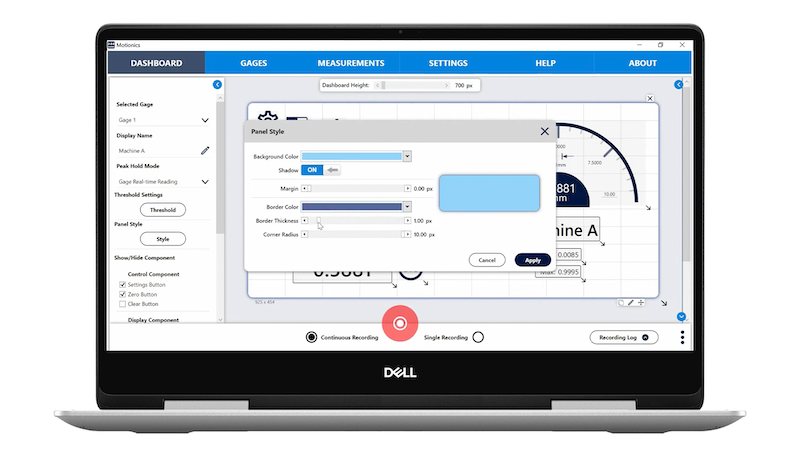
Dashboard panel styles can also be customized, with options for adjusting the background color, shadow effects, margin sizes, borders and fonts. This provides users with the ability to create styles for accessibility, ease of viewing, and company branding.
Available with MultiGage+
CUSTOMIZE STYLES
Dashboard panel styles can also be customized, with options for adjusting the background color, shadow effects, margin sizes, borders and fonts. This provides users with the ability to create styles for accessibility, ease of viewing, and company branding.
Available with MultiGage+
ADD BACKGROUND IMAGES
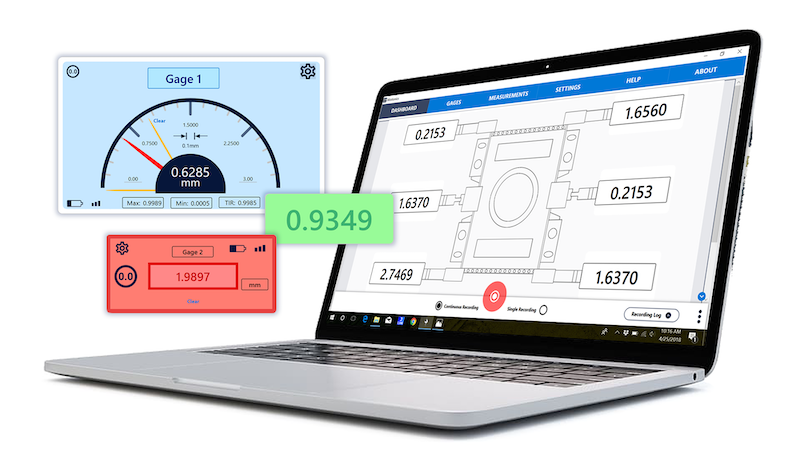
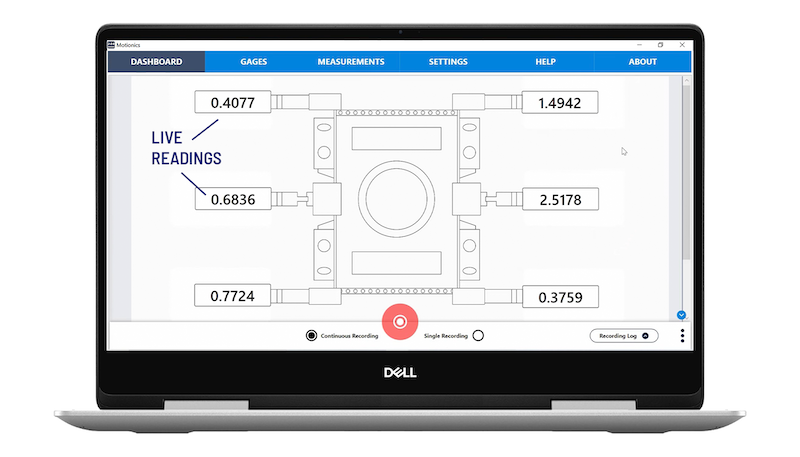
MultiGage+ also provides the ability to add your own background image to the dashboard. These images could include illustrations, schematics, diagrams, reference photos, or company brand assets. With movable components, elements can be configured around background images as shown.
Available with MultiGage+
ADD BACKGROUND IMAGES
MultiGage+ also provides the ability to add your own background image to the dashboard. These images could include illustrations, schematics, diagrams, reference photos, or company brand assets. With movable components, elements can be configured around background images as shown.
Available with MultiGage+
ADD BACKGROUND IMAGES
MultiGage+ also provides the ability to add your own background image to the dashboard. These images could include illustrations, schematics, diagrams, reference photos, or company brand assets. With movable components, elements can be configured around background images as shown.
Available with MultiGage+
ADVANCED GRAPH OVERLAY VIEW
MultiGage+ offers the ability to capture continuous or single data point recordings and overlay multiple plotted continuous or single data point recordings in graph view. This allows users to easily visualize and compare data changes.
Available with MultiGage+
ADVANCED GRAPH OVERLAY VIEW
MultiGage+ offers the ability to capture continuous or single data point recordings and overlay multiple plotted continuous or single data point recordings. This allows users to easily visualize and compare changes in data.
Available with MultiGage+
PRIORITY CUSTOMER SERVICE AND SUPPORT
MultiGage+ users benefit from advanced customer service and support with a 12hr email reply guarantee for faster ticket resolution. To ensure you get the most precise and accurate measurements, we also offer new users a 2hr Remote Software Training Course and up to 5 free Motionics gauge calibrations per year.
Available with MultiGage+
PRIORITY CUSTOMER SERVICE AND SUPPORT
MultiGage+ users benefit from advanced customer service and support with a 12hr email reply guarantee for faster ticket resolution. To ensure you get the most precise and accurate measurements, we also offer new users a 2hr Remote Software Training Course and up to 5 free Motionics gauge calibrations per year.
Connect to GaugeHub local Router for Range Extension
Remote Gauge Monitoring from Cloud
Connect without USB Dongle
Virtual Gauge with Custom Equations
INDUSTRY TRUSTED
Manufacturing
Construction
Mining
Oil & Gas
Engineering
INDUSTRY TRUSTED
HARDWARE COMPATIBILITY
MultiGage is compatible with all Motionics wireless gauges as well as some third-party gauges. A license is required to connect third-party gauges to MultiGage. Click here to purchase a license or contact us for more information.
MultiGage is compatible with all Motionics wireless gauges as well as some third-party gauges. A license is required to connect third-party gauges to MultiGage. Click here to purchase a license or contact us for more information.
Yes, if you have a Mac with Apple silicon (M1, M2, or M3 chips), you can run many iPhone and iPad apps natively. This means you can download MultiGage as an iPad app directly from the App Store.
While there are many useful cross-platform features that are available, certain features may only be supported on specific platforms. To see which features are supported, check out the features table above or contact us for more information.
There are two options for purchasing a MultiGage License for Non-Motionics Products. You can click here to purchase a license directly from the Motionics Store, or email us with your device serial number.
To activate your MultiGage third-party license in the MultiGage Windows software and the app for iOS and Android, enter the License Code in the Custom Code section of the Settings page.
Enable Bluetooth on your iPhone, iPad or Android device then launch MultiGage. The app will automatically scan for compatible hardware. Tap to connect, and once paired, live measurement data will begin streaming in realtime.
Note: Ensure that the hardware is not already connected to another device as the app will be unable to find and pair with the device.
To use MultiGage Windows or MultiGage+ you need this USB Bluetooth Dongle, which allows you to connect up to 8 wireless devices per dongle. If the driver is not automatically installed after inserting the dongle, click here to manually download the driver zip file.
For optimal performance, we recommend not loading each Bluetooth dongle with more than 4 wireless gauges. However, you can always connect multiple dongles to your Windows PC using a USB hub, to connect up to a maximum of 128 gauges.
MultiGage Cloud is a paid-for service that unlocks even more convenience with smart features such as remote worldwide monitoring, multi-user access, remote gauge controls, and smart notification alerts.